Image to Vector Converter
A free, privacy-first image to vector converter that traces bitmaps into clean, editable vector paths. PNG, JPG, and WebP stay on your device - 100% WebAssembly in your browser.
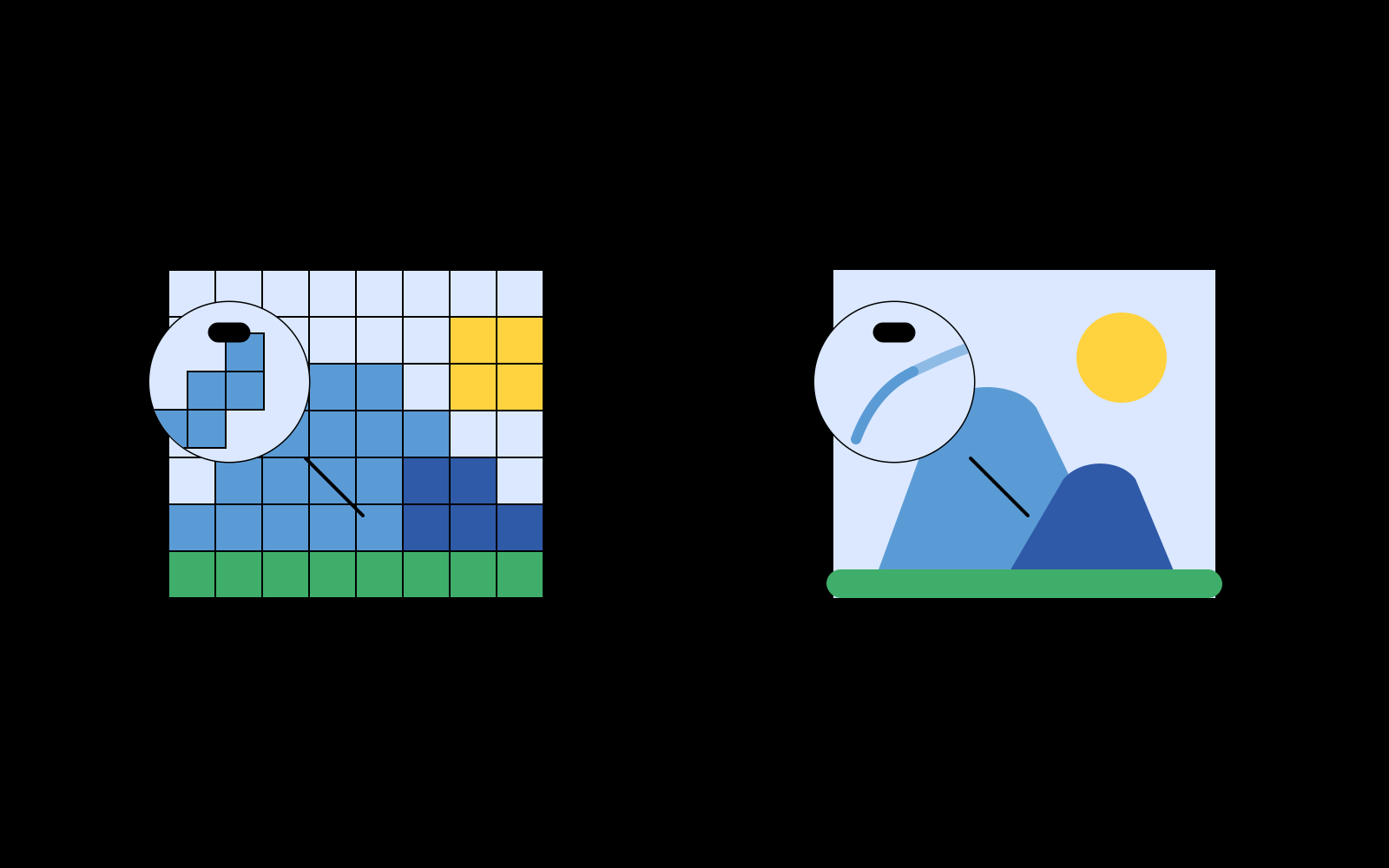
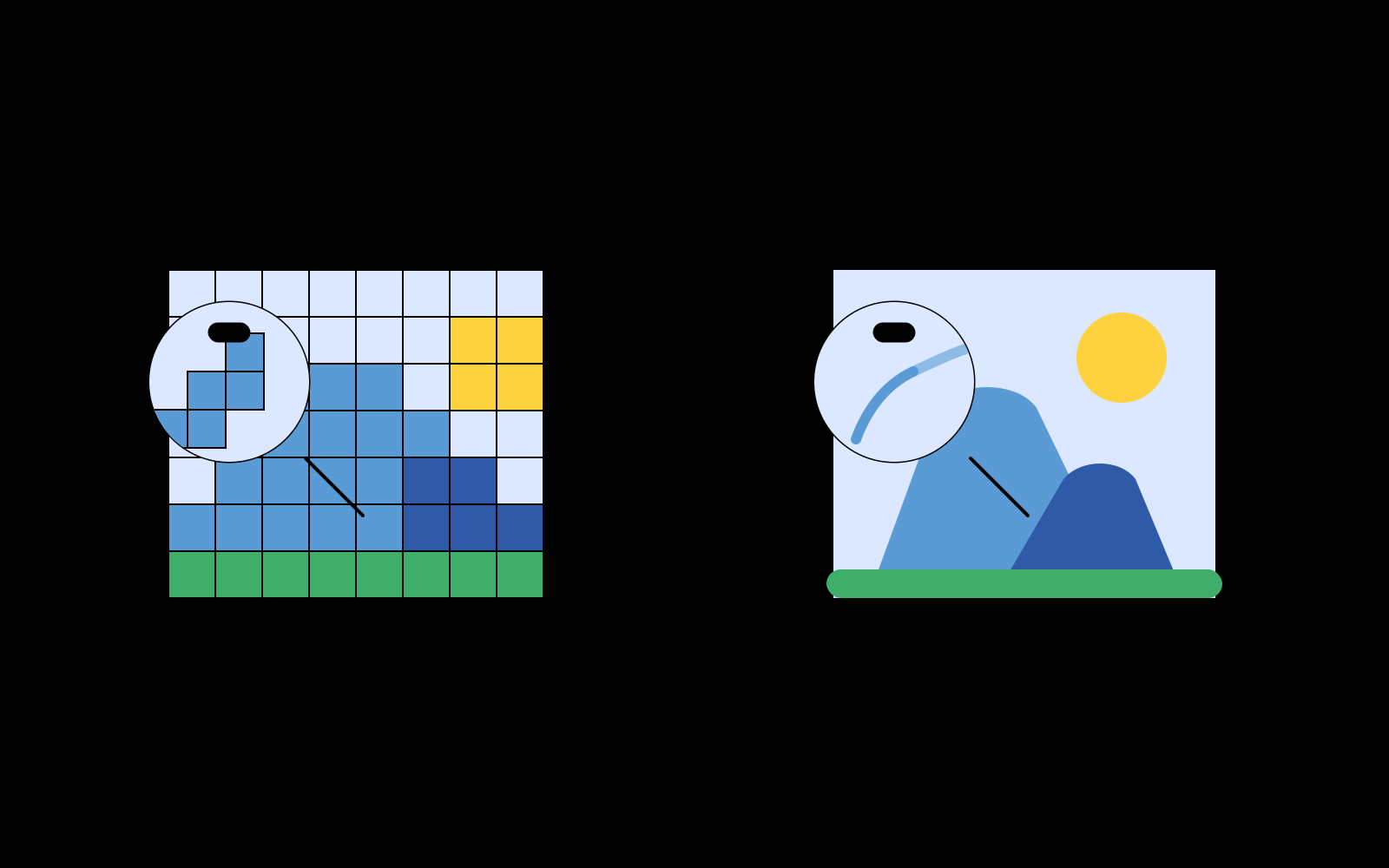
Raster Pixels vs. Vector Paths: The Core Difference
Digital graphics fall into two fundamentally different categories: raster images and vector graphics. A raster image (such as a PNG, JPG, or WebP photo or screenshot) is constructed from a rigid grid of colored pixels. When enlarged for printing, high-DPI displays, or CAD fabrication, those pixels stretch into visible stair-step blocks and blurry artifacts.
In contrast, a vector graphic defines visual elements as mathematical coordinates connected by smooth Bézier curves, arcs, and polygons. Because vectors are calculated mathematically during rendering, they remain razor-sharp at any magnification factor. An image to vector converter bridges this gap by analyzing pixel gradients and reconstructing them into resolution-independent geometric curves.
Why Convert Bitmaps to Vectors?
Converting images to vector curves is essential across design, manufacturing, and web engineering:
- Logo & Icon Restoration: Reconstruct low-resolution brand logos and icons into clean vectors for Figma or Adobe Illustrator.
- Laser Cutting, Vinyl & CNC Fabrication: Digital cutters and CNC machines require continuous vector path coordinates to steer physical cutting heads.
- Screen Printing & Embroidery: Textile printing requires discrete color separation and crisp shape boundaries.
- Stylized Illustration: Transform photographs into high-impact vector posters and stylized art.
Pic2Vector Tracing Engine & Privacy Architecture
Unlike cloud-based vectorizers that require uploading proprietary graphics to remote servers, Pic2Vector executes an optimized Rust tracing pipeline compiled to WebAssembly inside an isolated Web Worker on your computer.
The engine performs sub-pixel edge detection, spline fitting, and Douglas-Peucker path simplification to eliminate redundant control points while preserving crisp corners. If you are working with specific file formats, explore our dedicated PNG to SVG Converter (with alpha channel support), JPG to SVG Tool (with bilateral noise filtering), or modern WebP to SVG Converter. Simply launch the free vector converter to begin tracing immediately.
How to convert an image to vectors
Drop in a bitmap
PNG, JPG, or WebP. Decoding happens on your device.
Trace into paths
Pick a mode and tune simplification with a live preview.
Export the vector file
Download layered SVG, ready for Figma, Illustrator, or print.
Why this vector converter
100% local
No upload, no account. The vectorizer runs in a Web Worker on your machine.
Free, no watermark
Export standard vectors with one click. Free in-browser tool with zero server uploads.
Built for tracing, not filters
Paths you can edit later - not a stylized raster that still pixelates.
Frequently asked questions
What is an image to vector converter?
An image to vector converter traces a bitmap (a grid of pixels) into mathematical paths. The result is a vector graphic that stays sharp at any size, instead of blurring when you zoom or print.
Is an image to vector converter the same as image to SVG?
Vector is the drawing model; SVG is the file format Pic2Vector writes those vectors into. If you specifically need an SVG file, use the Image to SVG converter. This page is for people searching for a vectorizer or vector converter.
Does Pic2Vector upload my image?
No. Every pixel is processed locally in your browser with WebAssembly. Your image never leaves your device.
Is this a replacement for Illustrator Image Trace?
It covers the same job, tracing a raster into editable paths, without installing desktop software. You still get layered vectors you can hide, lock, or export. Complex art-direction work may still belong in a full drawing app after export.